
Download Exactly AI – AI‑Powered Design Tool, Free Trial, Secure Cloud App
Overview of Exactly AI
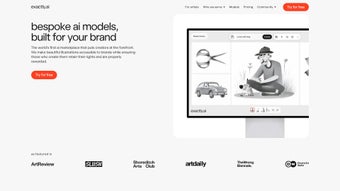
Exactly AI is a subscription‑based, web‑first design platform that blends artificial intelligence with a full‑featured creative suite. Launched in early 2025, the service targets designers, marketers, and small‑business owners who need to produce professional‑grade visual assets without spending hours on manual layout work. Because the application runs entirely in the browser, there is no bulky installer, no operating‑system‑specific client, and no need for frequent patch cycles; you simply log in from any modern browser and begin generating concepts, mock‑ups, or complete brand kits.
The platform’s core promise is speed: input a brief or a few keywords, and the AI instantly returns multiple design directions, each ready for fine‑tuning. In addition to the generative engine, Exactly AI offers a cloud‑hosted asset library, real‑time collaboration tools, and a continuous learning model that adapts to the styles you approve. Security is baked in, with AES‑256 encryption at rest, TLS 1.3 in transit, and compliance with GDPR, CCPA, and ISO 27001.
The subscription model includes monthly feature drops, priority support, and a 14‑day free trial that gives full access to the AI generator, template catalog, and team workspace. This review examines the most important aspects of the product—features, installation, compatibility, pros and cons, and frequently asked questions—so you can decide whether Exactly AI is the right addition to your creative workflow.
Key Features that Differentiate Exactly AI
- AI‑Generated Design Concepts: Enter a short brief or keyword list and receive up to ten unique design variations within seconds, each with adjustable layout, typography, and imagery.
- Smart Asset Library: All creations are automatically saved in a searchable, version‑controlled cloud repository, allowing instant retrieval and easy sharing across projects.
- Brand‑Consistent Color Palettes: The system analyses your uploaded brand assets and suggests color schemes that match your visual identity, reducing manual color matching.
- Extensive Template Catalog: Over 250 editable templates cover social media posts, presentations, ads, newsletters, and more, each pre‑populated with AI‑suggested content.
- Real‑Time Collaboration Workspace: Team members can comment, annotate, and approve designs directly within the browser, with role‑based permissions for editors, reviewers, and viewers.
- Multi‑Format Export Options: Export assets as PNG, JPG, SVG, PDF, or push designs directly to Figma, Adobe XD, and other popular design tools.
- Continuous Learning Engine: The AI refines its suggestions based on the designs you accept, gradually aligning output with your unique brand voice.
- Secure Cloud Hosting: Data is encrypted both at rest (AES‑256) and in transit (TLS 1.3), and two‑factor authentication is available for added protection.
- Regular Feature Updates: Subscribers receive monthly updates that introduce new templates, AI model improvements, and performance enhancements at no extra cost.
- Universal Browser Support: Fully functional on Chrome, Firefox, Safari, Edge, and even Internet Explorer 11 (with a reduced feature set), ensuring accessibility for any team.
Installation, First‑Run Setup, and Compatibility Details
Exactly AI eliminates the traditional installation headache by operating as a progressive web application. To get started, follow these steps:
- Create Your Account: Visit exactly.ai, click “Sign Up,” and register using an email address or single sign‑on via Google or LinkedIn. A verification email confirms your identity.
- Select a Subscription Tier: Choose between Starter (single user), Professional (team of up to 10), or Enterprise (unlimited users and custom integrations). All tiers include a 14‑day free trial.
- Enter Payment Information: Provide a credit card, PayPal, or ACH details. Payments are processed securely through Stripe, and you can enable auto‑renewal or manual renewal.
- Configure Brand Settings: Upload your logo, define primary and secondary colors, and add any style guides you want the AI to reference during generation.
- Launch the Dashboard: After logging in, you are taken to a clean dashboard where you can start a new project, explore the template library, or open the AI concept generator.
Compatibility: Because the platform is web‑based, it works on any operating system that supports a modern browser. Minimum supported versions are:
- Chrome 85+
- Firefox 78+
- Safari 13+
- Edge 85+
- Internet Explorer 11 (limited features)
The UI automatically adapts to desktop, tablet, and high‑resolution mobile screens, though the optimal experience is on a laptop or desktop with at least 8 GB RAM and a stable broadband connection of 10 Mbps or higher. No additional plugins, extensions, or downloads are required, which keeps the environment lightweight and reduces potential security risks. All data is stored in the cloud, so you can switch devices without losing progress.
Pros, Cons, Frequently Asked Questions, and Final Verdict
Pros
- Instant AI‑driven design generation cuts production time dramatically.
- Cloud‑based asset library eliminates version‑control headaches and ensures all team members access the latest files.
- Robust collaboration tools support remote teams with comments, annotations, and role‑based permissions.
- Monthly, free updates keep the platform aligned with the latest design trends and AI advancements.
- Strong security measures and compliance certifications make it suitable for enterprise environments.
Cons
- Subscription pricing may be steep for freelancers or small agencies on a tight budget.
- Limited feature set in Internet Explorer 11; modern browsers provide the full experience.
- AI suggestions can feel generic until the learning engine has enough data from your approvals.
- No offline mode; a reliable internet connection is mandatory for all workflows.
- Export to niche formats such as EPS or Adobe Illustrator (AI) is not yet available.
Frequently Asked Questions
Is there a completely free version of Exactly AI?
Exactly AI does not offer a permanently free tier, but it provides a 14‑day free trial that unlocks all premium features, allowing you to evaluate the platform without commitment.
Can I use Exactly AI on macOS and Linux?
Yes. Because the service runs in the browser, any operating system with a supported browser—macOS, Windows, Linux, or even Chrome OS—can access all functionalities.
How does Exactly AI protect my design data?
All files are encrypted at rest with AES‑256 and transmitted using TLS 1.3. The platform adheres to GDPR, CCPA, and ISO 27001 standards, and you can enable two‑factor authentication for added security.
Does the AI improve over time?
Yes. The continuous learning engine records which designs you accept or reject, gradually tailoring future suggestions to better match your brand’s visual language.
What export formats are supported out of the box?
Exactly AI can export designs as PNG, JPG, SVG, and PDF, and it also offers direct pushes to Figma and Adobe XD. Support for EPS and AI formats is slated for a future release.
Conclusion – Should You Download Exactly AI?
Exactly AI delivers a compelling blend of AI‑driven creativity, cloud‑first convenience, and enterprise‑grade security. For teams that regularly produce visual content—whether it’s social media graphics, presentation decks, or brand collateral—the time saved by instant concept generation and the ease of collaboration are significant ROI drivers. The subscription cost is justified by continuous feature upgrades, a robust asset library, and the peace of mind that comes with strong data protection. The main trade‑offs are the requirement for a stable internet connection and the premium price for larger teams, but the 14‑day trial gives you ample opportunity to test the AI’s relevance to your workflow before committing. If accelerating design turnaround, maintaining brand consistency, and centralizing assets in a secure cloud environment align with your goals, download Exactly AI today and start your free trial.



.png)



